Word mail merge vs List Processor
Word + Excel mail merge
- Connect and maintain an external data source.
- Map fields and troubleshoot mismatches.
- Repeat setup for envelopes, labels, and letters.
- Fix template drift and formatting breakage over time.
List Processor workflow
- Paste or upload one list once.
- Automatic parsing, no field mapping required.
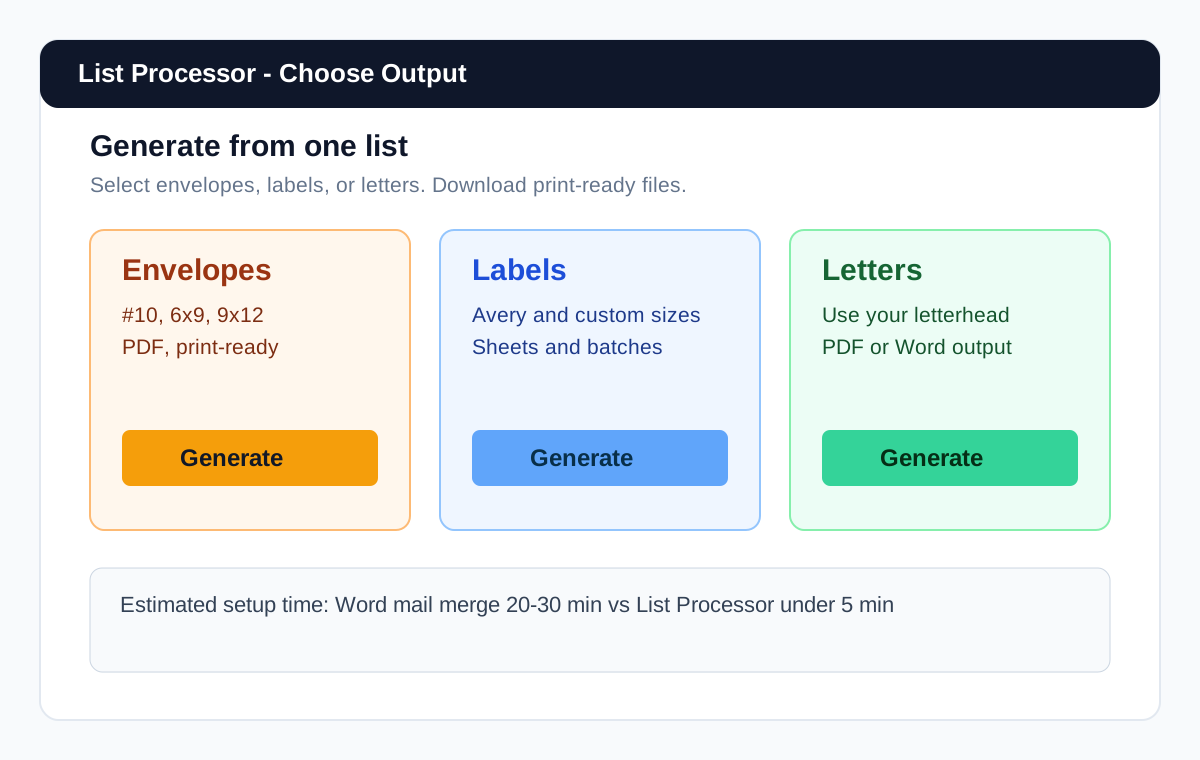
- Generate envelopes, labels, and letters from the same list.
- Download print-ready output in minutes.
Why people look for a mail merge alternative
People searching for a mail merge alternative for envelopes and labels are usually frustrated by setup overhead, not by the idea of personalized documents. In Word workflows, the same issues repeat: field mapping friction, broken merges, dependency on linked Excel files, and repeated setup every time the output type changes.
If your team sends physical mail, the workflow has to be reliable under deadline pressure. A word mail merge alternative should reduce steps, not add more places to fail.
What Word and Excel mail merge actually require
A standard Word + Excel process usually means creating or cleaning the source file, selecting the right workbook range, inserting and mapping fields, previewing each record, then generating output. It works, but it is fragile when files move, columns change, or records are inconsistent.
- Choose output type in Word (envelopes, labels, or letters).
- Connect Excel/CSV as recipient source.
- Map fields and fix mismatched data.
- Preview and troubleshoot layout issues.
- Run merge and repeat setup for the next output type.
List Processor is a direct mail merge alternative
List Processor is built for one job: turning a list of names and addresses into print-ready envelopes, letters, and labels. There is no data source dialog, no field mapping, and no wizard. You paste your list from Excel, a CSV, or plain text, and it parses it. You choose the output type, add your template or letterhead if needed, and download. Done.
- No field mapping. List Processor detects names and addresses automatically. No FirstName or Address setup.
- No Excel link to maintain. Paste or upload. No "data source has been moved" errors.
- Works with messy data. If your list is slightly inconsistent, List Processor still parses it. Word mail merge often fails on the first mismatch.
- One list, multiple outputs. The same list can become envelopes, then letters, then labels without reconnecting anything.
Use List Processor when you want envelopes, letters, or labels from a spreadsheet or contact list and you would rather not fight the Word mail merge wizard. It is ideal for burst mailing jobs like court notices, holiday cards, donor letters, and campaign mail where teams do not want to relearn setup each time.
Paste once, generate every output
This is the core differentiator: one list can generate envelopes, labels, and letters from the same workspace. No reconnecting sources, no rebuilding template logic for each run.
Use this as your mail merge alternative for letters, your envelope workflow, and your label workflow in one place.
Works with Excel, CSV, CRM exports, and pasted text
Input format should not block production. List Processor accepts spreadsheet data, CSV uploads, CRM exports, and plain pasted text, so teams can start with whatever list format they already have.
For workflow-specific examples, see print envelopes from Excel and print labels from CSV.
Why this is faster for teams that send physical mail
A true mail merge alternative for physical mail should reduce setup time, cleanup work, and template maintenance. With one-list workflows, teams spend less time on data prep and more time on actual mail operations.
- Fewer setup steps before the first print-ready file.
- Less recurring cleanup when list formatting changes.
- No repeated template rebuilding for each output type.
- More consistent output under deadline conditions.
Related guides
Who it is built for
Law firms
Generate high-volume notices and client mailings with predictable output and fewer setup errors.
Realtors
Move from list export to branded envelope, label, and letter output in one short workflow.
Small offices
Reduce repetitive manual merge work and standardize mail prep across staff.
Marketing teams
Handle recurring campaign mail batches faster with fewer moving parts.
Frequently asked questions
Is this a replacement for Word mail merge?
Yes, for the physical-mail jobs this page targets: envelopes, letters, and labels from an address list.
Do I need Excel column mapping?
No. Paste or upload your list and the app parses addresses automatically.
Can I generate labels and envelopes from the same list?
Yes. One list can be reused for all output types without repeating setup.
Can I use my own letterhead or template?
Yes. You can apply your own template and letterhead for letter output.
Do I need a credit card to start?
No. You can start free with no credit card required.
Start free and test your first list
Upload your list, skip the mail merge wizard, and get your first print-ready output in minutes.
Upload my listTeams often reclaim hours each month by removing repeated mapping and template-debugging work. See pricing for plan details.